


-
27?inch 5K
Retina?display -
14.7?million pixels
-
600?nits of brightness
-
1 billion colours
-
P3?wide colour
-
12MP Center?Stage camera with Desk?View
-
Three-mic array
-
Six speakers with Spatial?Audio
-
Thunderbolt?5
See what you?can?do.
A big, beautiful window into new worlds, Studio?Display draws you in from the moment you turn it on. It has a slim, all-screen design. And it’s packed with a phenomenal set of features so everything you do springs to life with gorgeous colour and spectacular?detail.


Easy on the eyes. For a more natural viewing experience, Studio?Display uses an ambient light sensor to automatically adjust the colour temperature of your display to your environment.
Minimal glare for maximum focus. Studio?Display comes as standard with an industry?leading anti?reflective coating designed to reduce glare for better comfort and readability. So every word and pixel comes through vividly.
Less reflectivity. Best?in?glass. Studio?Display is also available with an innovative nano?texture option, which is ideal for spaces with bright light sources, like a lot of sunlight. It scatters light to further minimise reflectivity — for outstanding image quality even in challenging lighting conditions.
Camera
and mics.
A welcome
sight.
And
sound.

Studio?Display features a 12MP?Center?Stage camera with improved image quality and low?light performance. Stay perfectly in frame during video calls, even as you move around or others join you. Desk?View shows a top?down view of your workspace while keeping you onscreen. Edge Light illuminates your face by creating a virtual ring light around the edges of the display. And it all works with your favourite video calling?apps.

FaceTime

Webex

Zoom
So they hear you.
And only?you.
The studio-quality three-mic array helps you come through loud and clear on video calls and voice recordings. And with directional beamforming, everyone hears you — not what’s going on around?you.


Hear. There.
And?everywhere.


An updated six-speaker sound system with four force-cancelling woofers produces 30?per?cent deeper bass. And two high?performance tweeters provide accurate mids and crisp highs. Altogether, it delivers more precise stereo imaging and is the highest?fidelity speaker system ever created for?Mac.

Spatial?Audio immerses you in sound. It’s like having your own personal cinema or concert hall. When you’re playing music or video with Dolby?Atmos, all six speakers work together to create a sophisticated, cinematic soundstage.

Superpower your?studio.
Studio?Display features two Thunderbolt?5 ports. One lets you connect and charge your Mac laptop, while the second can power high?speed accessories or daisy?chain additional displays. And with two USB?C ports, you can connect external drives or charge your iPhone.


Displays well
with others.


Pairs with your?Mac.
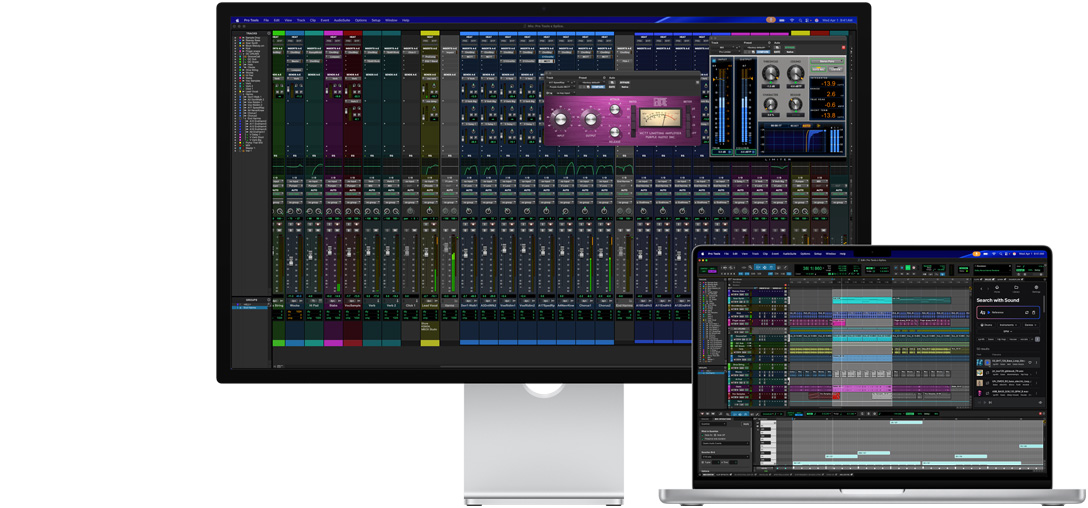
Studio?Display is the perfect creative partner. It delivers excellent image quality and works seamlessly with Mac laptops and desktops.

Stands.
And delivers.
Studio?Display comes with a choice of two stands or a?VESA mount adapter, so you can find the right angle for your needs.

Tilt-adjustable stand. The built?in stand provides 30?degrees of smooth, effortless tilt.

Tilt? and height?adjustable stand option. A counterbalancing arm allows for 30?degrees of tilt as well as 105mm of height adjustment — and makes the display feel weightless as you adjust?it.


VESA mount adapter option. For custom setups, the?VESA mount adapter supports landscape and portrait orientation. And it’s compatible with any 100x100mm?VESA wall mount, desk mount, stand or articulating?arm.

Designed with
the earth in mind.

Studio?Display has been engineered to reduce its environmental impact. The stand is made with 100?per?cent recycled aluminium. The standard glass display contains 80?per?cent recycled glass — an Apple first. And the 100?per?cent fibre-based box1 has been extensively redesigned for collapsibility, allowing it to be broken down into smaller pieces that will fit in most household recycling bins.
Apple at Work
Get the power to take your
business to the next level.

Apple and Education
Helping educators and students
move the world forward.
